Zekorapay Documentation
ZekoraPay Platform – Reference complète pour développeurs et utilisateurs
🤝 Complete Multi-Role Guide to Associations, Tontines & Group Savings in Zekorapay
This guide presents the complete operational workflow of the Associations & Tontines module across all key protagonists: the Member, the Board (President / Treasurer), and the Zekorapay Platform.
👥 Table of Stakeholders & Roles
| Protagonist | Core Responsibilities | PIN Protected Actions |
|---|---|---|
| 👤 The Member | Discover groups, pay tontine rounds, pay meeting rations, vote on governance proposals, participate in group chat. | Meeting contribution, tontine payment, governance vote. |
| 👑 The Board (President / Treasurer) | Record physical cash deposits, approve treasury payouts, launch elections, settle meeting pool collections. | Cash deposit approval, distribution payout, election launch, meeting settlement. |
| 🏛️ Zekorapay System | Anti-keylogger usePin() keypad, RSA-OAEP encryption, double-entry ledger bookkeeping, immutable audit logs. |
RSA private key decryption, server-side authClient.VerifyPin. |
📸 Step-by-Step User Journey (Real Playwright Screenshots)
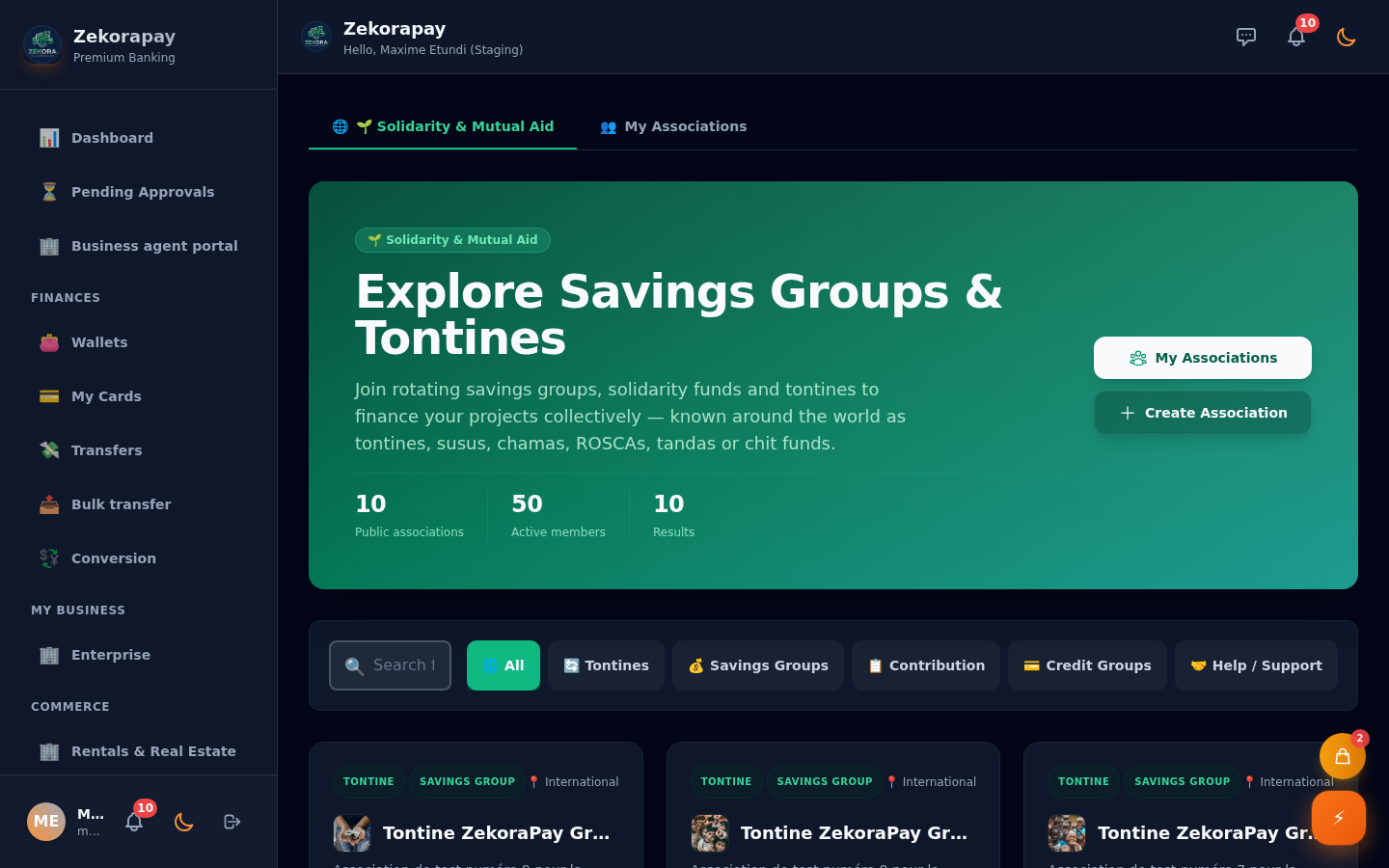
1. 👤 The Member — Discovery & Joining (Stage 1)
The explorer allows users to filter associations by category (Rotary Tontine, Contribution, Savings, Relief/Aid) and view joining terms.
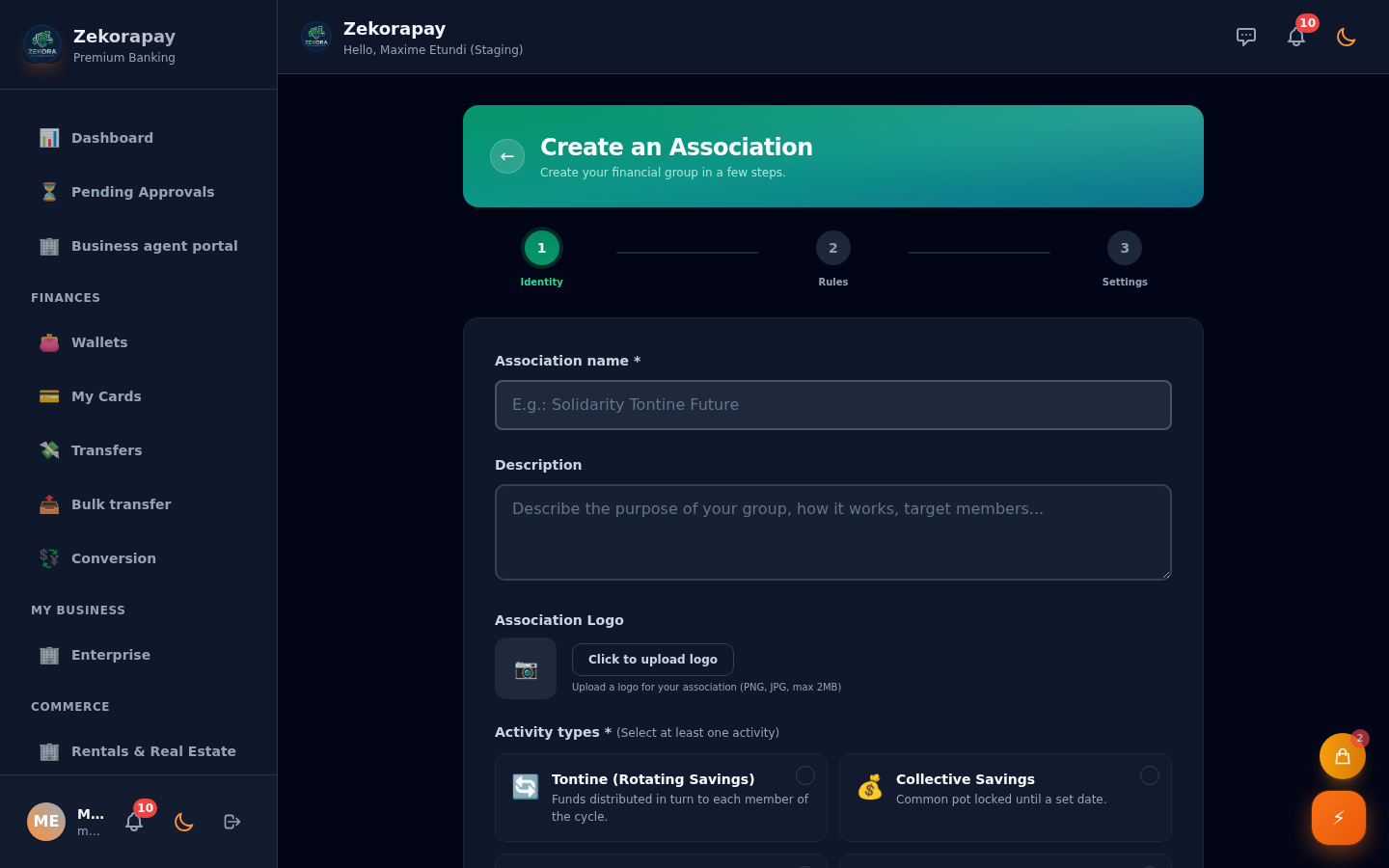
2. 👑 The Board — Tontine Creation Wizard (Stages 2 to 4)
The group creator configures identity, activity type, and financial rules.
Stage 2: Association Identity & Name
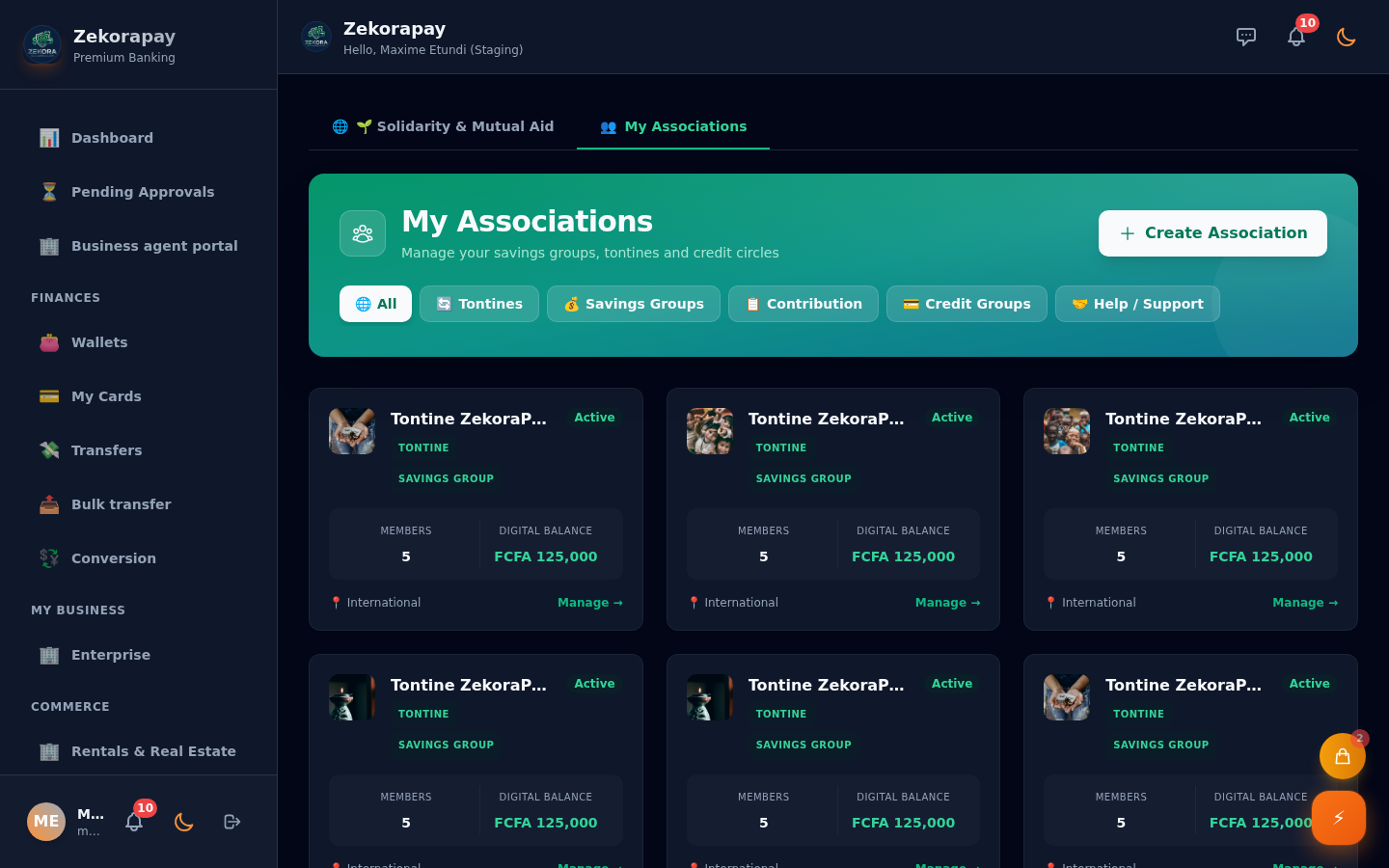
3. 👤 The Member & 👑 The Board — "My Associations" Dashboard (Stage 5)
Consolidated view of all associations joined by the user with assigned roles (President, Treasurer, Secretary, or Member).
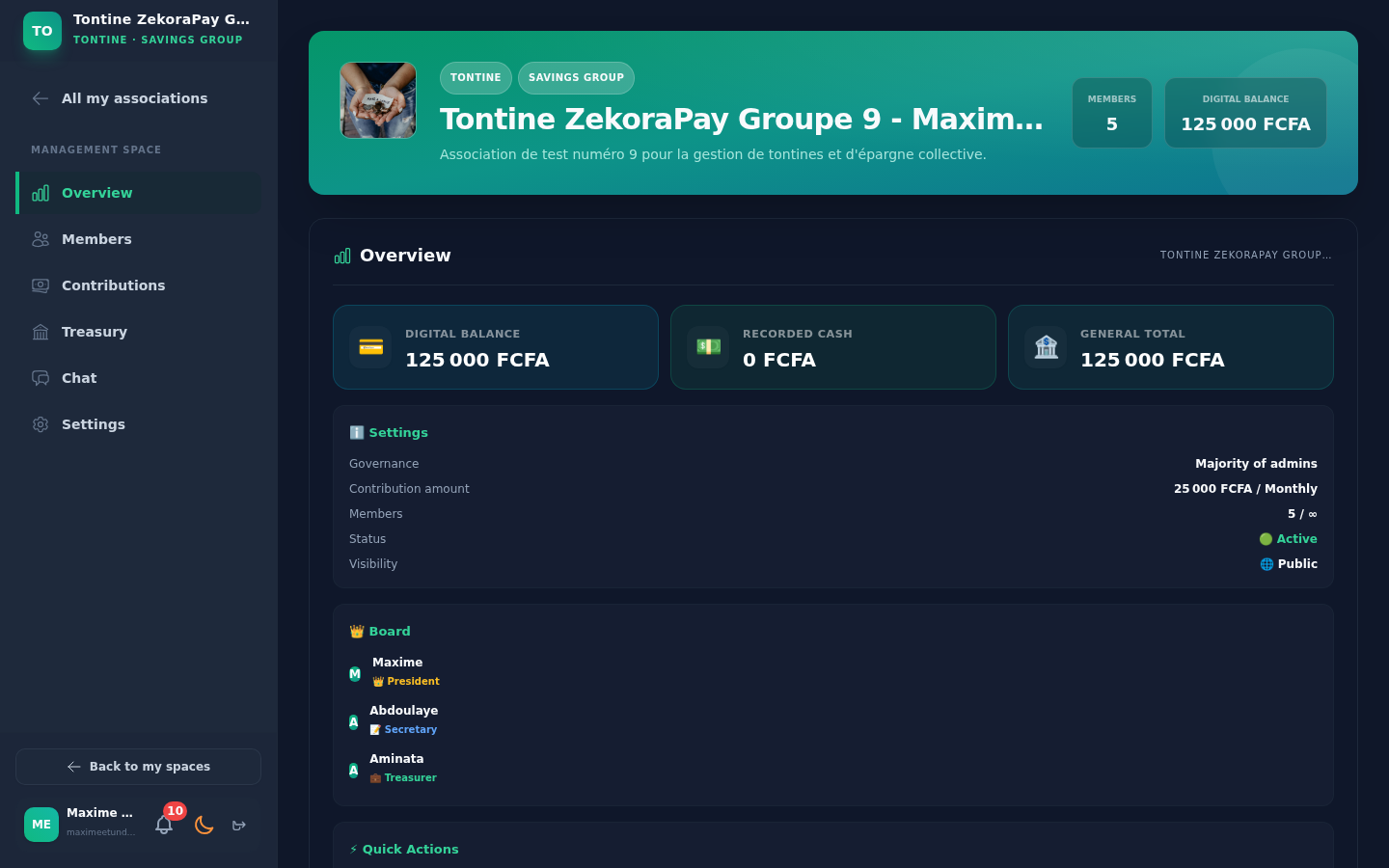
4. 📊 Workspace — Overview Tab (Stage 6)
Views overall association balances (Digital Bank + Cash Register) as well as upcoming meetings and events.
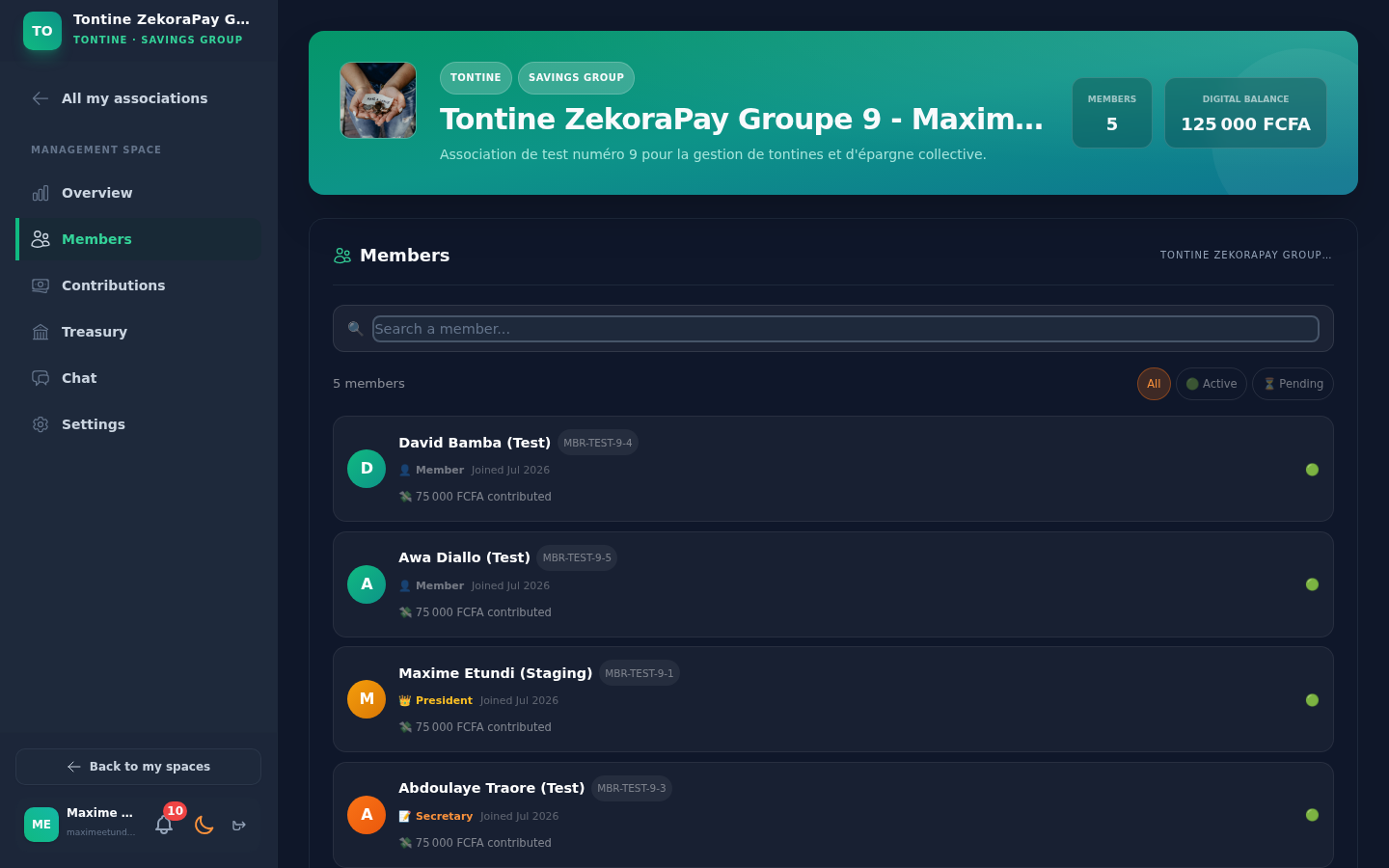
5. 👥 👑 Members Tab & Role Assignment (Stage 7)
The President and Secretary manage member rosters, generate unique invitation links, and assign administrative roles.
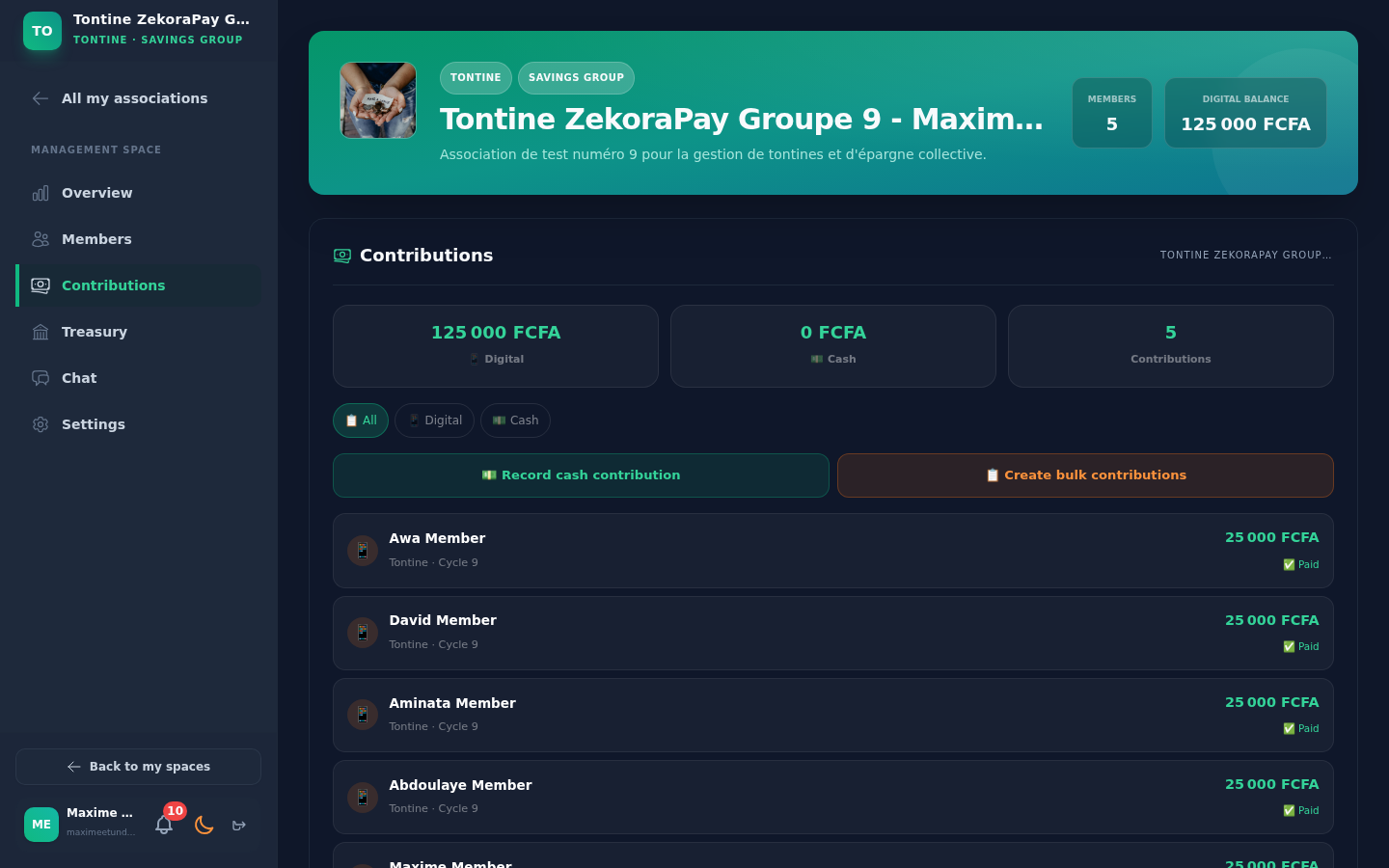
6. 💰 👤 Contributions & Rotary Tontine Rounds Tab (Stage 8)
The Member pays contributions for the active cycle round. The system logs draw history and computes payout schedules.
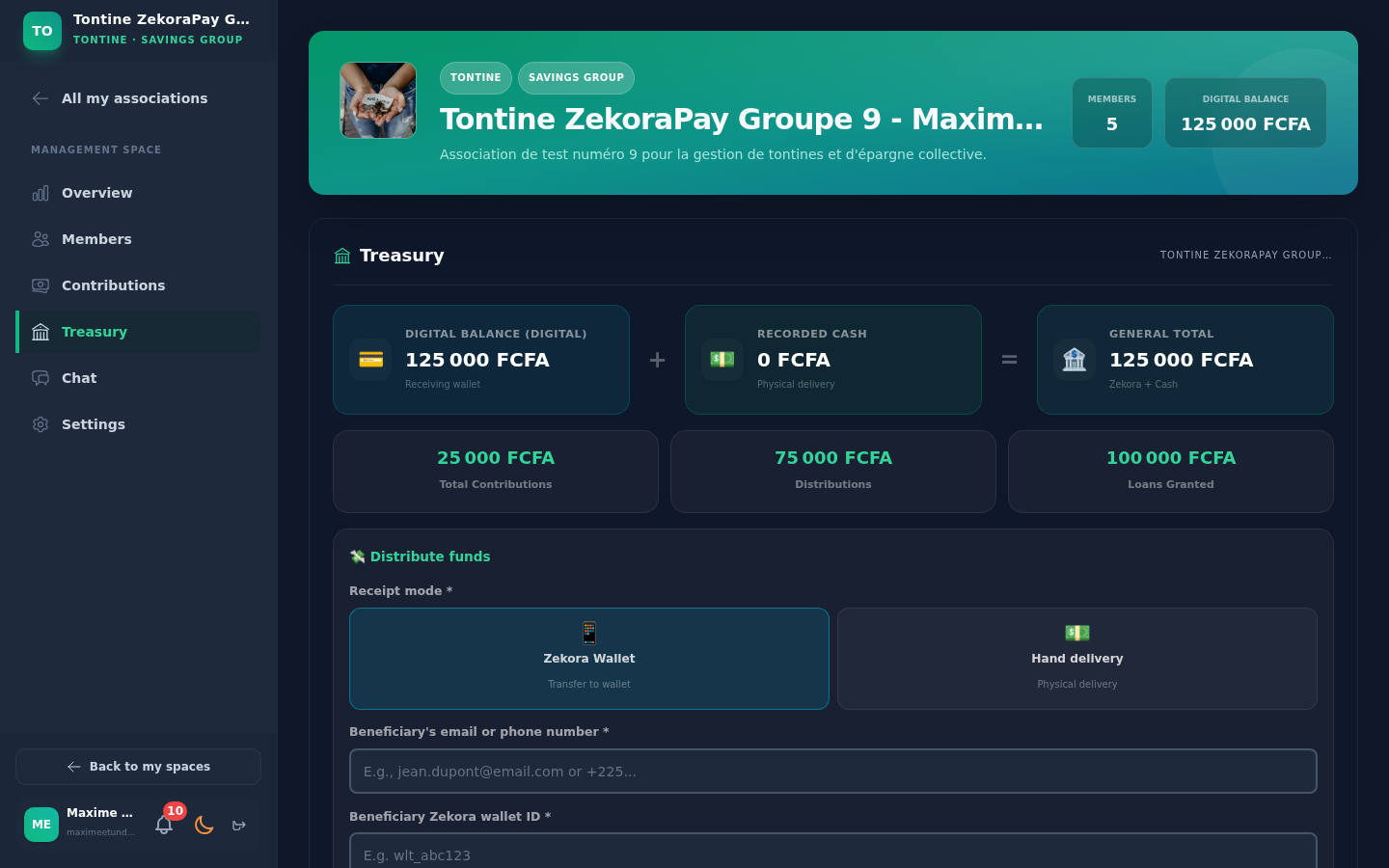
7. 🏛️ 👑 Treasury & Physical Cash Deposits Tab (Stage 9)
The Treasurer logs physical cash payments and initiates treasury distribution requests to beneficiary members.
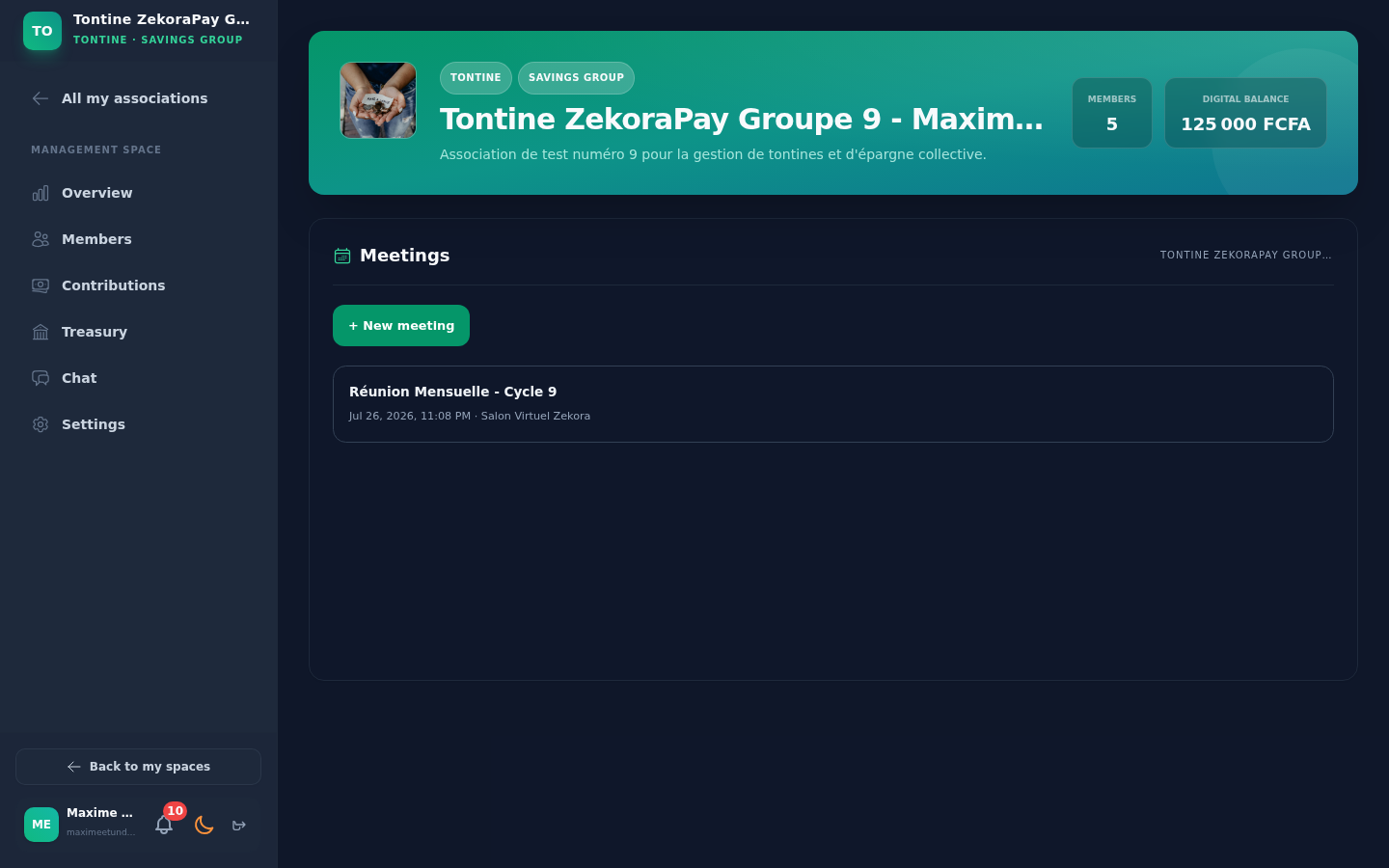
8. 📅 👤 👑 Meetings, Rations & Session Settlement Tab (Stage 10)
Members pay meeting rations and session contributions. The Treasurer or President approves session settlement to redistribute collected pools.
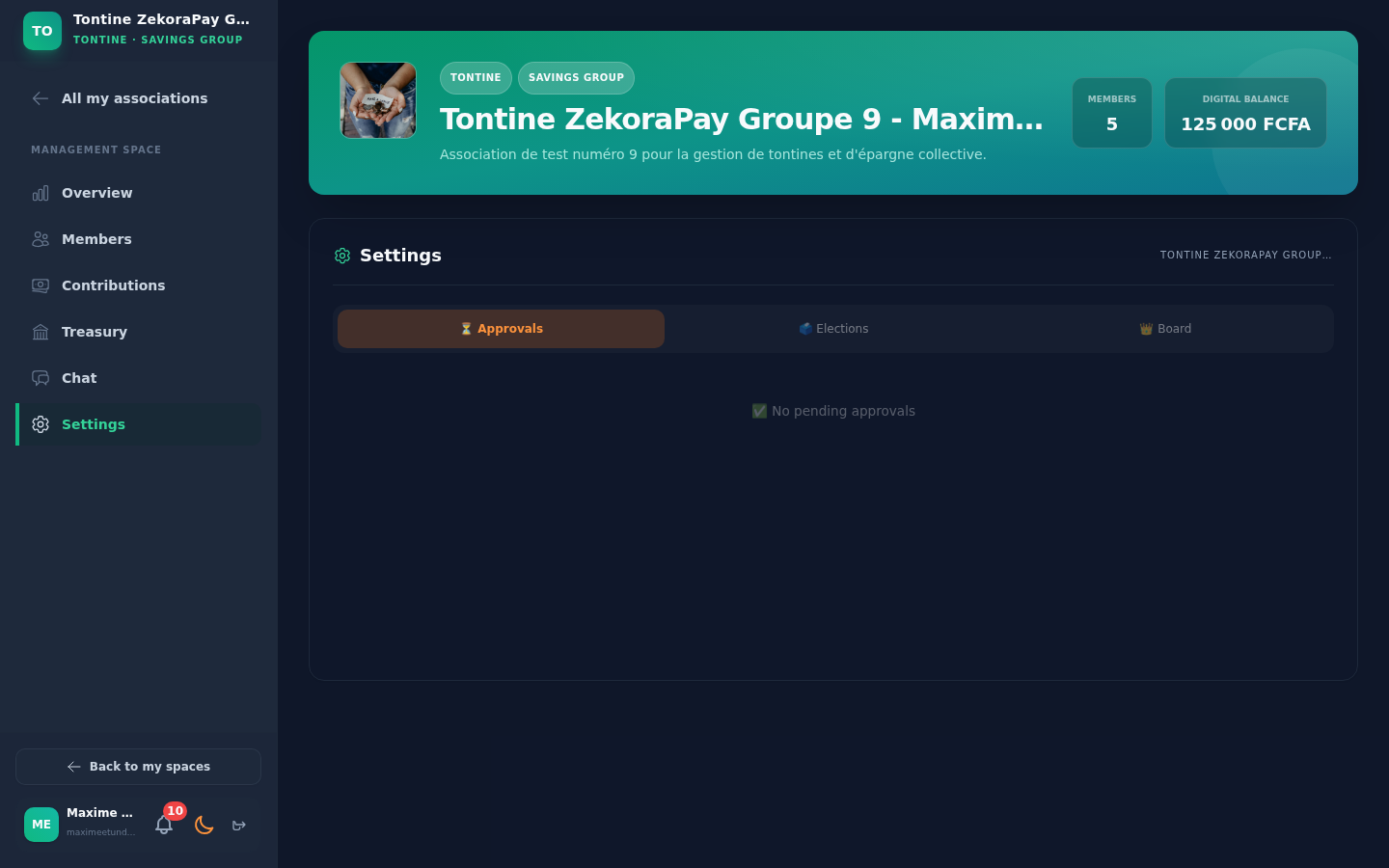
9. ⚙️ 👑 Governance, Voting & Role Elections Tab (Stage 11)
The Board and Members vote on cash deposits, investment projects, or board executive elections.
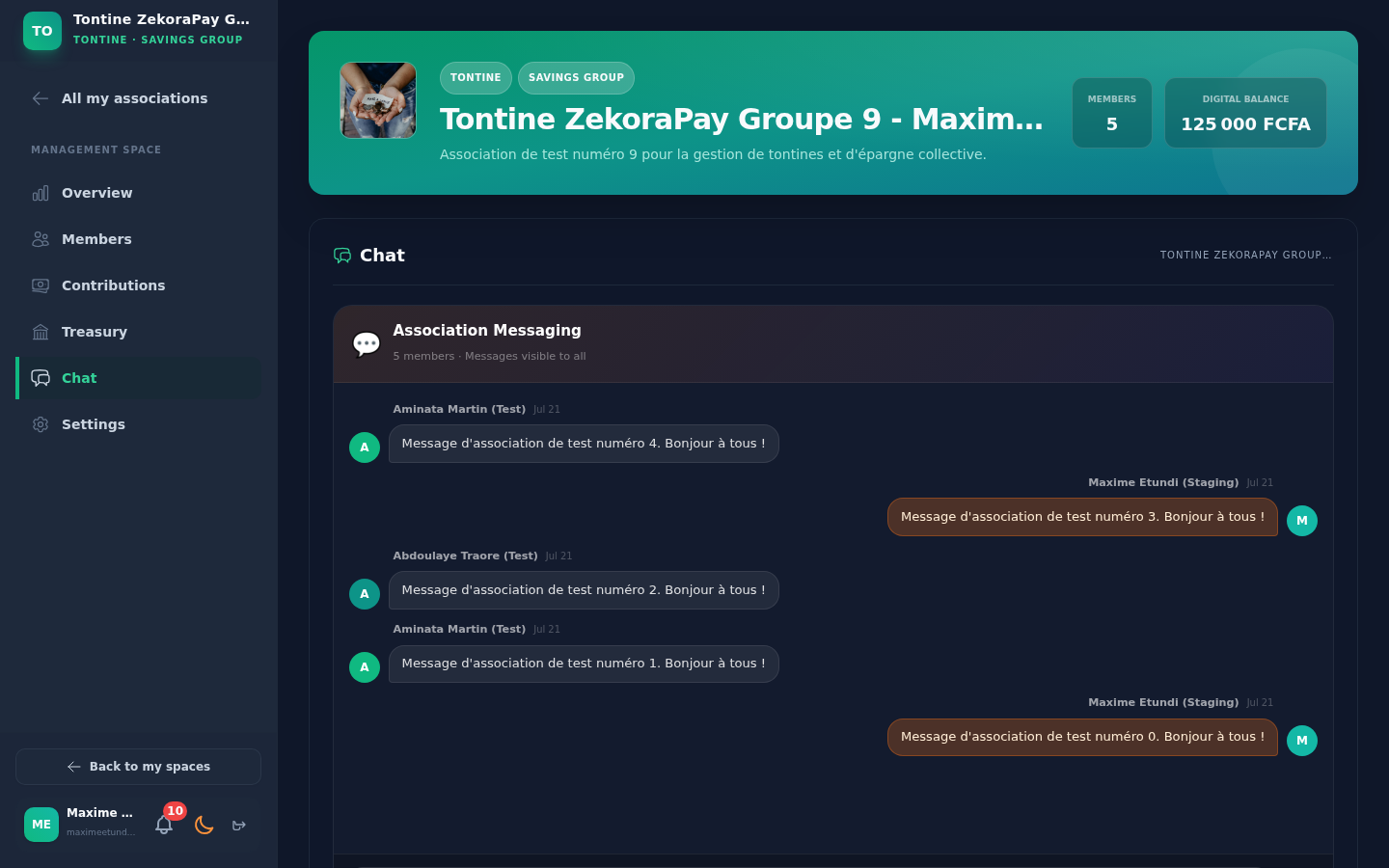
10. 💬 👤 Secure Group Chat Tab (Stage 12)
Encrypted real-time group messaging space reserved exclusively for active association members.
🔒 Security & Cryptography of PIN Entry
Every protagonist executing a financial action interacts with the anti-keylogger virtual keypad:
- Anti-Keylogger Input: Shuffled key layout virtual keypad (
usePin()). - Browser-side Encryption: PIN payload transformed to RSA-OAEP ciphertext using the server's public key.
- Microservice Verification: The
association-serviceforwards the ciphertext toauth-serviceholding the private key.